

With Easy Builder you can now save Custom Blocks. Popular elements such as a signature footer, product block or news section can be created once, saved into your personal library and reused in future campaigns with a single click. You can store up to 10 blocks in your library.
How to save a custom block?
Select a block from your campaign
In step 2 of creating your campaign, choose the block you want to save (for example a product block).
The save option can be found in the block’s tool panel on the left side (disk icon).

Save the block
After you click the icon, the Create Custom Block window opens. Enter a name for your block (for example “Single product”) and confirm by clicking Create.
The block is then added to your personal library.

Where to find your saved blocks
Saved blocks are located in the right-hand editing panel under Blocks -> Custom. This opens your library with all saved blocks.
The maximum number of saved blocks is 10.
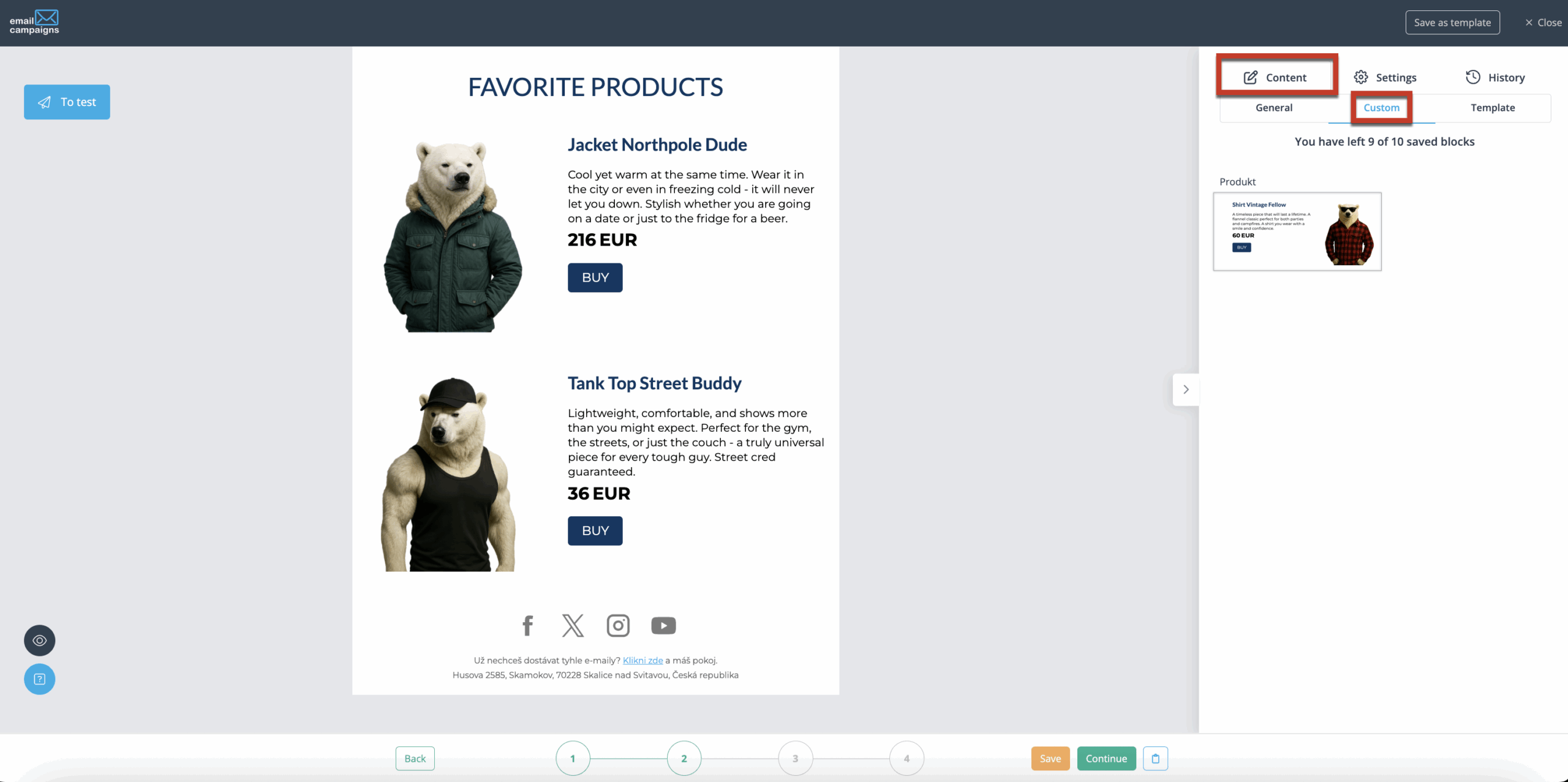
Done!
You can insert saved blocks into any campaign at any time. Simply drag and drop them into the desired position.